We earn a commission if you buy through our links, at no extra cost to you.
Best Portable Dash Cam for a Rental Car (2026)
Small dash cams you can move between cars: power from the 12V socket, mounts, why hardwired parking mode does not suit a rental, and windshield rules.
At a glance
For a rental car, choose a small camera that runs from the 12V socket. The Garmin Dash Cam Mini 3 is key-sized and screen-free, the Vantrue E1 Pro adds 4K and a small screen, and the Garmin Dash Cam X310 adds a touchscreen. Skip hardwired parking mode, because it needs wiring a rental should not get.
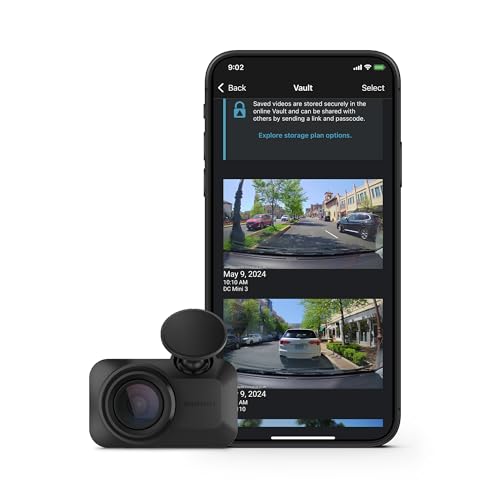

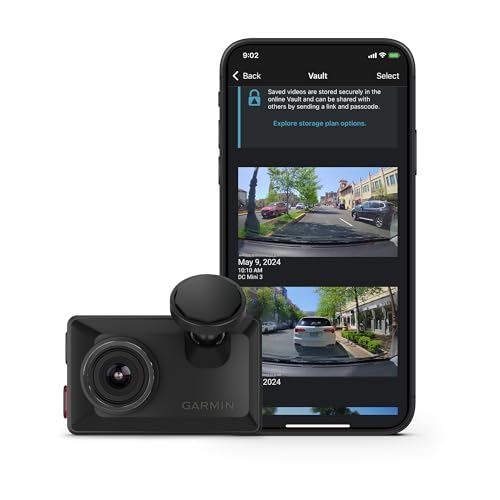
In your own car, a dash cam is a permanent fixture. In a rental, a leased car or a borrowed one, it has to be something you can set up on arrival and take home at the end of the trip. That changes what matters: size, power from the 12V socket, a mount that does not leave a mess and a setup you can finish in a few minutes in a parking lot. This guide compares three models that fit the job and explains why one of the most popular dash cam features, hardwired parking mode, does not.
Figures here come from manufacturer manuals and pages, and each is attributed to its source. For the wider field, see our dash cam ranking for 2026.
What Makes a Dash Cam Portable
Think about the whole trip, not only the camera.
- Power from the 12V socket. A rental has no spare fuse tap, and you should not wire it. A camera that ships with a socket adapter is ready to go.
- A mount that comes off. Suction and removable brackets are easy to move. Permanent adhesive is not.
- Small size. Small cameras sit behind the mirror and are easy to pack in a carry-on.
- Starts itself. The best portable setup turns on with the car and records without menus.
- A memory card you bring. Pack a high-endurance microSD card, because loop recording rewrites the card constantly.
Garmin Dash Cam Mini 3: The Smallest Option
Key-sized with no screen or power button: plug in the adapter and it records. A good fit for a short rental if you can live with the adhesive mount.
Garmin’s owner’s manual says the Mini 3 has no power button. It turns on automatically when it receives power and turns off when power stops. It records to a microSD card, with Garmin listing microSDHC or microSDXC from 8 to 512 GB and Class 10 or higher. Garmin lists an operating range of -4°F to 140°F, and says to power it with the included vehicle power adapter rather than a vehicle USB port.
The catch for travelers is the mount. Garmin says the included adhesive mount is intended for long-term installation and can be difficult to remove, and it recommends choosing the spot carefully and applying it at 70°F to 100°F for the best bond. That is the opposite of what a rental needs. Before you stick anything to a rental windshield, read the rental agreement or ask the rental company. If you plan to move the camera often, the Vantrue below is the better fit. Our Garmin Dash Cam Mini 3 profile has the full specs.
Vantrue E1 Pro: Small 4K Camera With a Screen
A compact 4K front camera with a small screen. Its mount is described as easier to remove than a permanent pad, which helps for a car you borrow or rent.
The E1 Pro is a compact front-only camera. Vantrue’s product page for its E1 Pro bundle shows the camera sold with a VP03 hardwire kit and a 256 GB card, and describes it as a 4K dash cam in a compact design. Our Vantrue E1 Pro profile summarizes two published write-ups. They describe a supercapacitor, a screen on the back, a standard 12V socket cable and a mount that attaches with either a pad or a static sheet for easier removal, plus a slide-out bracket that leaves the windshield part in place. The same write-ups flag night footage and heat as weak points, so use a sunshade when you park.
Remember the hardwire kit in the bundle is for parking mode in your own car, not for a rental. If you buy the camera alone, check what is in the box before you travel.
Garmin Dash Cam X310: The Step-Up Choice
4K with a 2.4-inch touchscreen and an internal battery. Better for a long-term rental, a lease or a second car than for a one-day rental.
Garmin’s manual for the X310 describes a touchscreen camera that attaches with the same type of adhesive mount as the Mini 3, which Garmin says is difficult to remove. It says to power the camera from the included vehicle power adapter, not a vehicle USB port, and the manual lists an operating range of -4°F to 140°F. The manual also refers to a battery, which you should fully charge before running the camera on battery power. The X310 enables Parking Guard five seconds after you switch it off when connected to external power, with a “Run on Battery” setting for when external power is not available, so turn parking features off if you do not want it recording after you park.
Because the mount stays put, the X310 suits a lease, a company car or a car you keep for months than a two-day rental. See the Garmin Dash Cam X310 profile.
Why Hardwired Parking Mode Does Not Fit a Rental
Parking mode is useful in your own car, but it needs power when the engine is off. Garmin’s manual says that before you can record while parked you must connect to an always-on 12V power cable or the parking mode cable accessory. Its Constant Power Cable plugs into the OBD II port, and Garmin tells owners to check the vehicle’s warranty provisions first. Vantrue and Thinkware describe the same trade-off: parking mode needs a hardwire kit, and an always-on connection can drain a car battery.
On a rental, that means you would be wiring a car that is not yours. Rental agreements may restrict modifications, a drained battery is your problem on a trip, and returning a car with a wire tapped into the fuse box is a bad idea. For a rental, use a plug-in camera, leave parking mode off, and take the camera with you when you leave the car. If parking recording matters, it belongs in a car you own, where a professional can install it. Our Vantrue N4 Pro S profile shows what a hardwired kit involves.
Power, Cards and Setup in a Rental
- Plug into the 12V socket. Use the adapter in the box. Garmin warns that a vehicle USB port may not provide enough power.
- Check that the socket switches off with the ignition. If it stays on, the camera keeps running when you park.
- Install your own memory card and format it in the camera.
- Route the cable out of the way. Garmin suggests running the cable behind the trim along the windshield, door frame or dash, away from the controls.
- Check the angle on your phone before you drive off.
- Remove it at drop-off and wipe any residue from the glass.
Windshield and Recording Rules
States restrict where devices may sit on the windshield, and rules differ. As general guidance, keep the camera out of the driver’s view, behind or beside the mirror, and clear of the wiper sweep so the lens sees the road. Garmin’s manual says not to mount where it interferes with the driver’s view, to check that the area is cleared by the wipers and to avoid tinted areas. Check the rules for the state you are driving in.
Recording laws also vary, especially for audio. Garmin’s manuals warn that some jurisdictions prohibit audio recording in a vehicle or require all passengers to know about it and consent. If you carry others, turn audio off or tell them. This is not legal advice.
Which One Should You Choose?
- Short trips, smallest size: the Garmin Dash Cam Mini 3, if you accept the adhesive mount.
- Travel with a screen and 4K: the Vantrue E1 Pro.
- Long rental, lease or second car: the Garmin Dash Cam X310.
See all eight models in our full dash cam comparison.
Sources
Frequently asked questions
Can I use a dash cam in a rental car?
Usually yes, but read the rental agreement and ask the rental company about attaching anything to the glass. Garmin says its adhesive mount is intended for long-term installation and can be difficult to remove.
How do I power a portable dash cam?
Plug it into the 12V socket with the adapter in the box. Garmin says to use the included vehicle power adapter and avoid a vehicle USB port, which may not provide enough power for reliable operation.
Why does parking mode not suit a rental?
Parking mode needs constant power from a hardwire kit or OBD cable. Garmin lists an always-on 12V power source for Parking Guard. Wiring a car you do not own is a bad idea, and it can drain the battery.
Do I need a memory card?
Yes. Garmin says you must install a compatible card, and for the Mini 3 it lists microSDHC or microSDXC, 8 to 512 GB, Class 10 or higher. Pack a high-endurance card.
Are windshield mounting rules the same in every state?
No. States limit where devices may sit on the glass. Mount the camera where it does not block your view, outside the wiper sweep if possible, and check the state you are driving in.